Thumbnail Design Masterclass
# THUMBNAIL DESIGN MASTERCLASS
THE ONE RULE THAT RULES THEM ALL
Your thumbnail has 2 seconds to make a stranger click. If they can't read it or understand it in a glance, they scroll past. Period.
THE 12 DESIGN COMMANDMENTS
- Use contrasting colors. Your subject and background should not blend. Gold against white works. Red against orange does not.
- Put your face in the top 70% of the frame. YouTube's autoplay preview clips the bottom, and mobile viewers see a tiny thumbnail.
- Use BOLD TEXT if you use text at all. 2-3 words max. Sans-serif fonts (Arial, Helvetica, Futura) read faster than serif.
- Emotion is contagious. Happy faces = curiosity clicks. Shocked faces = "what happened" clicks. Angry faces = debate clicks. Match your brand.
- Avoid busy designs. One clear focal point (your face, a product, a stat) beats a collage of 5 things.
- Use the rule of thirds. Place your subject at the intersections of a 3×3 grid, not dead center.
- Keep the safe zone. The middle 30% of the thumbnail survives YouTube's mobile card format. Don't bury your hook there.
- Add a visual "pop." A bright shape, arrow, or graphic element behind or next to your subject makes it 30% more clickable.
- Never screenshot directly from your video. That's boring. Stage a moment or add design layers.
- Test against your competitors' thumbnails. Pull up 5 similar videos. Does yours stand out or blend in?
- Use consistent branding elements. A recurring color, font, logo, or shape makes your thumbnails instantly recognizable.
- Respect the emotions you're triggering. If your thumbnail promises urgency, your video should deliver. Don't mislead.
THE 6 PEOPLE MODE STRATEGIES
- Just You: Use emotion reference photos (happy, surprised, angry, sad). Strongest personal connection.
- You + Guest: Conversation-style thumbnails. Stack side-by-side or face-to-face. Great for interviews or debates.
- Guest Only: Expert or authority thumbnail. Use this when the guest's credibility is the draw.
- You + Object: Product hero shots. Creator + [tool/product]. Ideal for reviews, tutorials, launches.
- Object Only: Pure product showcase. Use when the object itself is the story (an app, a book, a gadget).
- No One: Scene-only. Landscapes, workspaces, screenshots, or graphics. Works for concept-heavy videos.
THE 6 EMOTIONS THAT DRIVE CLICKS
- Happy/Excited: Green light emoticon, bright colors, smile. "Good news incoming."
- Surprised/Shocked: Wide eyes, open mouth. "Wait, what? I need to know."
- Angry/Intense: Red accents, furrowed brow, sharp lines. "Someone's fired up about this."
- Sad/Concerned: Closed eyes, downturned mouth. "This matters and you should care."
- Fearful/Worried: Hands up to face, serious expression. "Something's wrong and I need solutions."
- Disgusted/Confused: Wrinkled nose, head tilt. "This is weird and I'm curious."
RULE: Pick ONE dominant emotion per thumbnail. Mixing three emotions = confusing thumbnail.
THE 5 DESIGN PATTERNS THAT ALWAYS CONVERT
- The Contrast Play: Bright element on dark background, or dark subject on bright background. Zero ambiguity.
- The Number Play: "5 SECRETS" or "$1M STRATEGY" — numbers are eye-catching and promise value.
- The Arrow/Pointer Play: Arrow pointing at your face or the hook element. Guides the eye instantly.
- The Before/After Play: Split screen showing transformation. Immediately communicates "you'll learn this."
- The Bold Text Overlay: 2-3 words max in a sans-serif font, white with black outline (or contrasting color). Make it READABLE at 150px.
YOUR CHECKLIST BEFORE UPLOADING
- [ ] Can I read the text from 10 feet away?
- [ ] Is my face emotion clear (happy/shocked/serious/engaged)?
- [ ] Does it stand out against my last 5 thumbnails' colors?
- [ ] Would I click this if I saw it in YouTube's recommended sidebar?
- [ ] Is there a single clear focal point (not 5 competing elements)?
- [ ] Is my face in the top 70% so mobile doesn't cut it off?
- [ ] Does the emotion match the video promise?
Find Your Perfect YouTube Niche
Take the free Niche Quiz and get a personalized niche recommendation based on your expertise, passion, and profit potential.
Take the Free Niche Quiz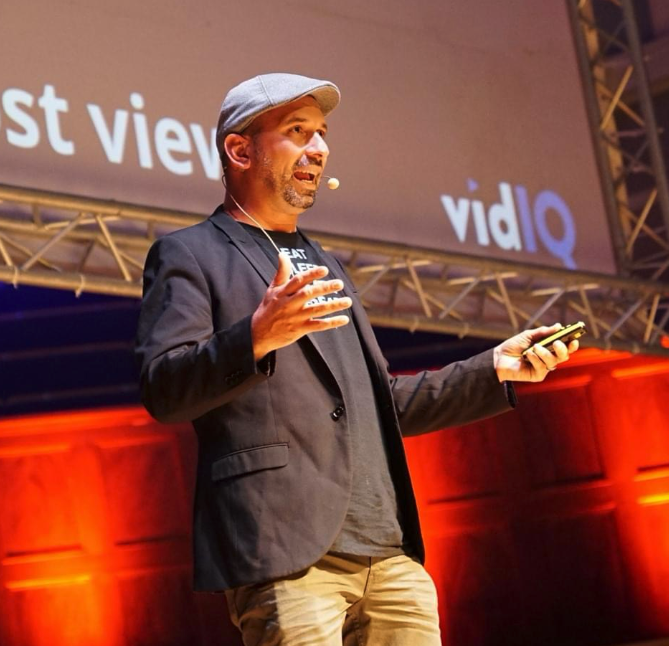
Jeremy Vest
YouTube strategist who has helped creators generate 50+ billion views. Founder of Niche King.