 KNOW WHAT WINS
Google Business Profile Titles: What Gets Clicked
The pattern
Platform name in full
#1: How to edit your Business Profile on Google (Google Business Profile). Places 2 to 5 are decoded in the report.

Start using it today. Your niche is done within 7 days of purchase.
Your AI knows YouTube. It does not know your niche.You are buying the niche data, rules and tools it needs: we decoded 134 google business profile videos into the formulas that win.
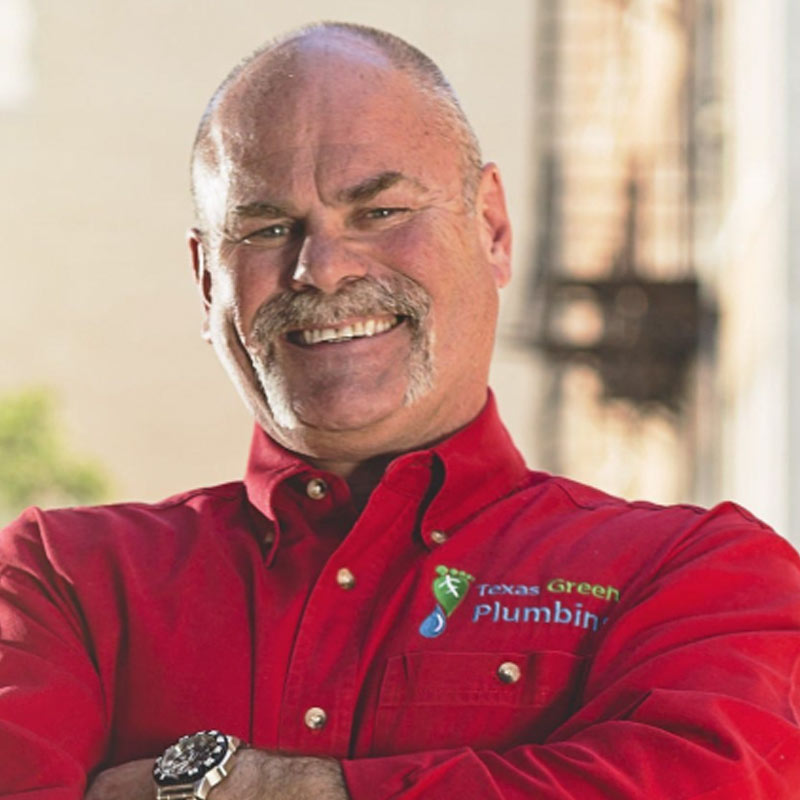 Roger Wakefield200 → 723K subs
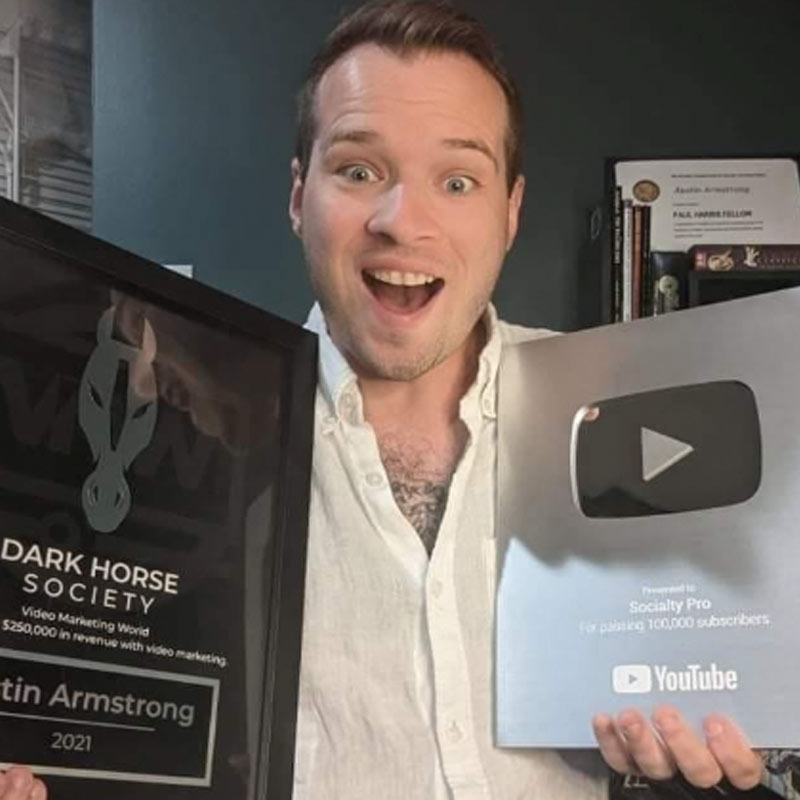 Austin Armstrong5K → 642K subs
Google Business Profile is a topic inside Local Business Marketing. One purchase includes both.
134 google business profile videos decoded, 7.9M views behind them. Titles, thumbnails, hooks, scripts, descriptions, story and editing. Read it online or download the PDF.
Platform name in full
#1: How to edit your Business Profile on Google (Google Business Profile). Places 2 to 5 are decoded in the report.
Face in left or right third
#1: Google My Business SEO (7 Tricks to Rank #1 in Google Maps) (Tim Richard). Places 2 to 5 are decoded in the report.
Problem before procedure
#1: How to edit your Business Profile on Google (Google Business Profile). Places 2 to 5 are decoded in the report.
Named chapters with signpost
#1: How to edit your Business Profile on Google (Google Business Profile). Places 2 to 5 are decoded in the report.
Keyword hook in first 125 characters
#1: How to edit your Business Profile on Google (Google Business Profile). Places 2 to 5 are decoded in the report.
Named chapter for each act
#1: Google Business Profile Set Up: 2024 Step-By-Step Tutorial For Best Results (Includes Verification) (Ranking Academy). Places 2 to 5 are decoded in the report.
The number one video in every category, decoded, plus one part of each winning pattern and the first video to make. Online and as a PDF. The full report has all five in every category.
The google business profile evidence
Real winning long-form and Shorts videos behind the patterns in this Decode. Browse the source examples before you decide what to make.
 How to edit your Business Profile on GoogleGoogle Business Profile · 732K views
 Google My Business SEO (7 Tricks to Rank #1 in Google Maps)Tim Richard · 347K views
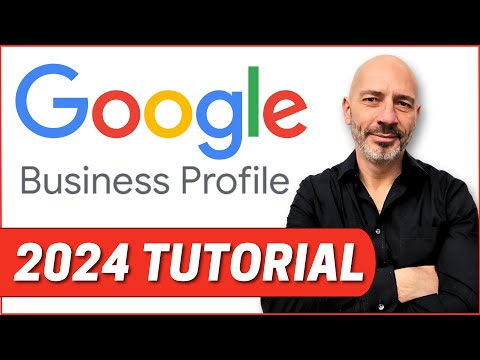 Google Business Profile Set Up: 2024 Step-By-Step Tutorial For Best Results (Includes Verification)Ranking Academy · 304K views
 Google Business Profile Not Showing? Do This!Ranking Academy · 51K views
 Google My Business Profile Optimization - Ultimate Tutorial for 2023 (Every Secret Revealed!)Ranking Academy · 200K views
 How to Delete Negative Google Reviews – It’s Easier Than You Think! (4 Methods)Ranking Academy · 184K views
 How-to Update Google Business Profile from Google Maps828 Biz Marketing · 502K views
 Google Business Profile Video Verification - Ultimate guideRanking Academy · 187K views
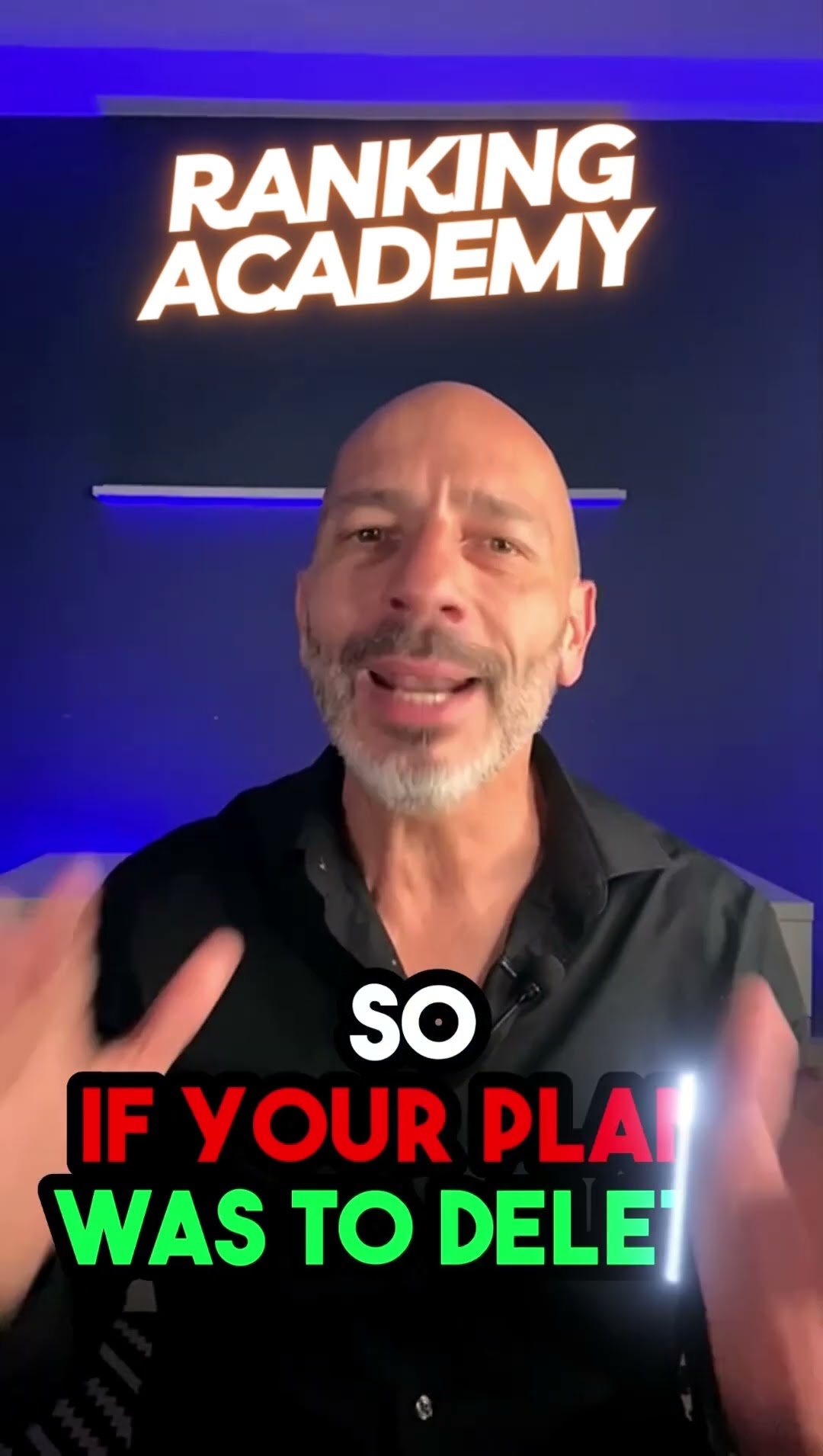 How to Delete My Google Business Profile?Ranking Academy · 116K views
 Change Owner In Google My Business ProfileJoe Burnich · 116K views
 How to Change Business Location On Google MapsRanking Academy · 107K views
134 Google Business Profile videos decoded. We find what repeats in the winners. Your AI uses it.
How to edit your Business Profile on Google
How to action your specific element on platform
This title is clear and direct — it tells the viewer exactly what they'll learn and why they should click.
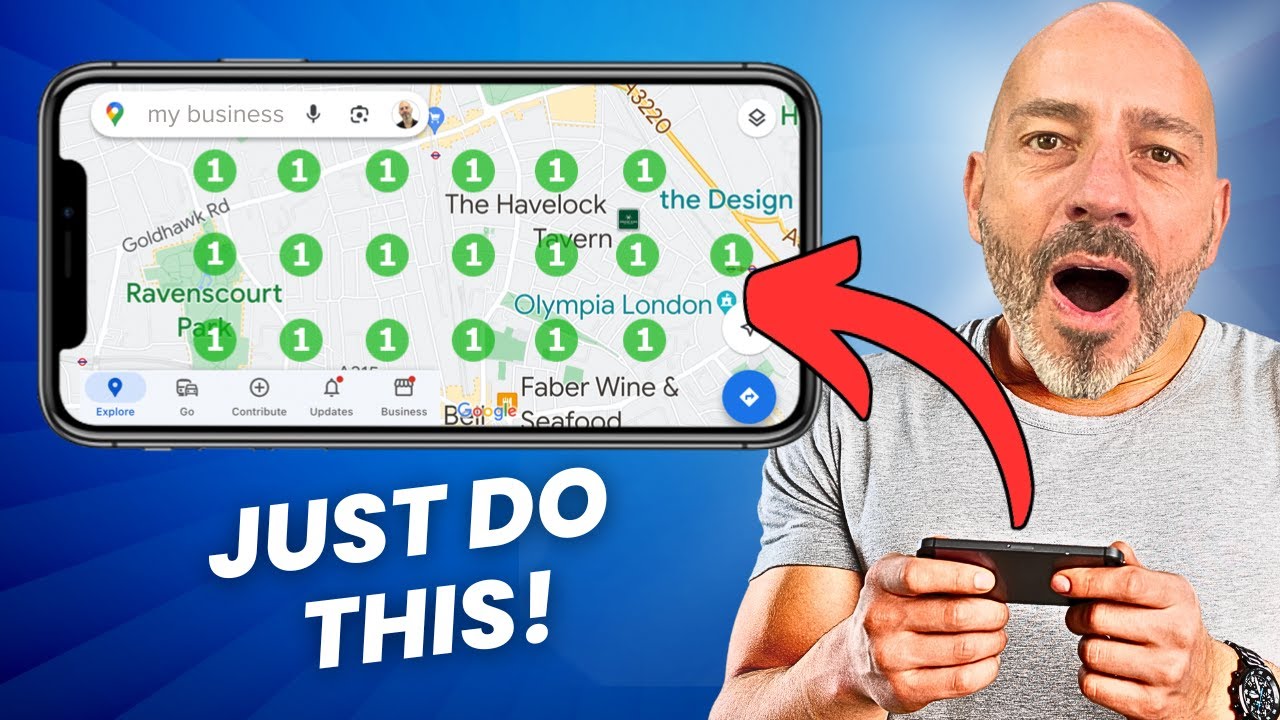
How to change business location in Google Maps. So, you're changing your business location and you want Google Maps to know about it. No worries. Here is what you need to do before you make the…
The hook leads with a relatable problem (changing business location) and immediately pivots to a high-stakes consequence: deleting your old listing = losing reviews and authority.
in this video we'll show you how to edit your business profile that way you can change your info like your hours and other information
steady, methodical pace throughout; step-by-step instruction rhythm with no acceleration or emotional peaks; flat delivery suited to tutorial but not optimized for retention
To help potential customers find and learn more about your business, you can change information like your address, hours, contact info, and photos.
How do I successfully verify my Google Business Profile using the video verification method, and what should I avoid?
We decode your niche. Use it with the AI and the YouTube tools you already have.
Ranked by the views behind each topic
Built on a real video with 732K views
Based on: “How to edit your Business Profile on Google”, Google Business Profile
Written from the thumbnails that won in google business profile
Serious instructor face in right third, direct gaze, white background. Phone held in left hand showing a Google Business Profile screen. Bold red banner in lower third with white text reading 'EVERY FIELD'. Eye lands on the phone screen first, then the face.
Read from the real opening lines in google business profile
Open with the problem, not the procedure.
How it works
Pick your niche. We have already decoded the videos that won in it: titles, thumbnails, hooks, scripts and edits.
Connect it to the AI you already use. About 2 minutes, once. Nothing to learn.
How to action your specific element on platform
From 5 winners · 1.6M viewsAsk for your next title, thumbnail or script. Your AI answers from what already won, not from a guess.
Your titles, scripts and descriptions are written by the AI you connect, on your own account, from the decoded niche data and the formulas we hand it. That is the point of the product and the reason nothing here is metered: you are not buying tokens, you are buying the research that makes the AI you already have worth talking to about your business. Thumbnails work either way. ChatGPT or Gemini can make the image in the connected chat. Claude gives you the finished image prompt to use in the image app you choose. Niche King does not render a connected customer’s thumbnail on its own account.
The difference is whether your AI has seen what already won in your niche.
What we found in google business profile
this strategy decodes the Google Business Profile niche on YouTube using 134 videos and 7,912,415 views. The practitioners who dominate this space are Ranking Academy, Tim Richard, 828 Biz Marketing, Joe Burnich, and the official Google Business Profile channel. The topics that pull the most views are profile setup and editing, Google Maps updates, SEO ranking tricks, video verification, and negative review removal. Ranking Academy's setup tutorial alone pulled 303,750 views, and Tim Richard's seven-trick SEO video pulled 346,756. What only someone who studied this corpus would know: the highest-view Shorts winner, 828 Biz Marketing's update tutorial at 502,229 views, opens with a procedural instruction and no hook at all, yet still won because the keyword match was exact and the steps were clear. The format that wins in long form is the multi-chapter tutorial with timestamps in the description, a serious or shocked face on the thumbnail, and a numbered list or year anchor in the title. Marketing agencies making videos for local service clients should position every video as a fix for a specific problem, name the problem in the title, and show the fix on screen.
Counted from the titles of every google business profile video we decoded, ranked by the views behind them. Not a guess at what your customers care about. A measurement of it.
Each one answers a topic google business profile already wins on, in the format that actually wins it here. The titles follow the patterns we decoded from the winners, not a template.
73 decoded videos on business profile · 5.2M views behind it.
Read from: How to edit your Business Profile on Google · Google Business Profile74 decoded videos on google business · 4.2M views behind it.
Read from: How-to Update Google Business Profile from Google Maps · 828 Biz Marketing21 decoded videos on google my business · 1.3M views behind it.
Read from: Google My Business SEO (7 Tricks to Rank #1 in Google Maps) · Tim Richard7 more, each with its thumbnail, inside the decode.
We studied 134 videos and 7,912,415 views in the Google Business Profile niche so you can skip the guesswork. The videos that win are built from a small set of repeating title structures, thumbnail moves, hook patterns, and description formats. Read this and you will know exactly what to film, how to frame it, and what to write around it.
Across the five long-form winners, three patterns repeat. First, a how-to instruction paired with a specific platform name: Google Business Profile's 732,186-view video uses 'How to edit your Business Profile on Google' and does nothing else. Second, a number up front with a concrete outcome in parentheses: Tim Richard's 346,756-view video uses 'Google My Business SEO (7 Tricks to Rank #1 in Google Maps)'. Third, a year anchor plus a step-by-step promise plus a bonus detail in parentheses: Ranking Academy's 303,750-view video uses 'Google Business Profile Set Up: 2024 Step-By-Step Tutorial For Best Results (Includes Verification)'. The Shorts winners follow the same how-to structure. 828 Biz Marketing's 502,229-view Short uses 'How-to Update Google Business Profile from Google Maps'. Ranking Academy's 187,073-view Short uses a feature name plus an authority signal: 'Google Business Profile Video Verification - Ultimate guide'. Every winner names either Google Business Profile or Google My Business in full. None rely on clever wordplay.
Long form that won:
Shorts that won:
What to do: Write the platform name in full in every title. Lead with the action or the number, not a teaser. If the video covers a year-specific process, put the year in. Keep long-form titles under 70 characters or the end gets cut on mobile. Use parentheses to add a bonus detail or outcome after the core promise. Never write a title that could have been written without watching the video.
Every long-form thumbnail winner in this corpus shows a face. Tim Richard's 346,756-view thumbnail puts a genuine wide smile in the left third, a phone showing a Google result in the right center, and a red badge with the ranking number overlaid on the screen. Ranking Academy's 303,750-view thumbnail uses a serious, direct-gaze instructor in the right third, a Google logo in the upper left, and a red banner with white italic text reading the year and the word TUTORIAL. Ranking Academy's 199,531-view thumbnail uses a concentrated face in the right third, a phone showing metric bars and a dollar icon in the center, a yellow arrow pointing to the screen, and bold white-and-yellow text with a number on the left. The 51,329-view 'Not Showing' thumbnail uses a shocked open-mouth expression, a phone held at chest height, a red arrow pointing to the screen, and short imperative text on a deep blue background. The 184,190-view negative reviews thumbnail uses a shocked face, a Google interface mockup, a red X through the problem, and a red stamp. The emotion is always either serious authority or visible shock. No neutral faces win.
5 decoded examples and the instruction for this chapter are in the full Niche YouTube Strategy.
The honest read of these winners is that most of them open badly by the corpus's own analysis, and still get views because the keyword match and the steps are strong. Google Business Profile's 732,186-view video opens with 'in this video we'll show you how to edit,' which the decoded data flags as a procedural tutorial with no hook. 828 Biz Marketing's 502,229-view Short opens with 'To update your Google Business Profile, open the Google Maps app,' a procedure, not a problem. The videos that do open with intent are stronger. Ranking Academy's 199,531-view optimization video opens with 'this is what I call a non-optimized Google business profile it looks,' a before-and-after contradiction that creates immediate contrast. Tim Richard's 346,756-view video opens with a direct problem statement: you want to rank your Google Business listing consistently at the top of the map section, followed by a credibility proof. Ranking Academy's 'Not Showing' video uses a problem plus a numbered list of reasons, then teases that the final reason is one most people miss.
10 decoded examples and the instruction for this chapter are in the full Niche YouTube Strategy.
Every winner in both long form and Shorts uses the same underlying structure: a collapsed tutorial. The video walks through one task, step by step, with screen recording as the visual layer. The differences are in what surrounds the steps. In long form, Ranking Academy's 303,750-view setup video uses named chapters with a signpost at the start, an open loop planted at the first decision point, and a watch-next CTA at the end pointing to an advanced features video. The 199,531-view optimization video places a like CTA at a natural break between major sections, after delivering value on a high-engagement topic, not at the start. Tim Richard's 346,756-view video earns a subscribe ask immediately after the hook and value promise, before the teaching begins, framed as 'I don't sell anything so your likes and subscribes keep me going.' In Shorts, 828 Biz Marketing's 502,229-view video has no CTA at all. Ranking Academy's 187,073-view verification Short ends with 'follow or subscribe for more' as a standard sign-off. The cautionary close appears in the 116,317-view delete video: 'this cannot be undone so make sure you're 100% certain.'
10 decoded examples and the instruction for this chapter are in the full Niche YouTube Strategy.
The long-form winners split into two patterns. Three of the five use timestamps first: Ranking Academy's 303,750-view setup video opens with a high-intent question hook, includes a link, a CTA, ten timestamp chapters with descriptive titles, three resource links, a subscribe CTA, social links, and one hashtag. The 199,531-view optimization video uses a benefit-driven hook question in the first 125 characters, then a CTA with a link, three body paragraphs, a tools section, a watch-next section, timestamps with ten-plus chapters, social links, and three hashtags. Tim Richard's 346,756-view video uses an emoji lead, a disclaimer block, affiliate tools links, a bullet-point value stack, a closing statement, and fourteen hashtags. The Shorts descriptions are almost all bare. 828 Biz Marketing's 502,229-view Short has 147 characters and no CTA, no hashtags, and no links. Ranking Academy's 187,073-view verification Short has a keyword-rich lead, three body paragraphs, a CTA block with a link, and three hashtags at 687 characters.
10 decoded examples and the instruction for this chapter are in the full Niche YouTube Strategy.
Every long-form winner in this corpus uses a chapter-based act structure, not a single narrative arc. Ranking Academy's 303,750-view setup video opens with foundation work, moves to a core decision point that plants an open loop, then resolves through verification. The 199,531-view optimization video opens with a before-and-after contrast of a bad listing versus a good one, promises a complete solution organized into chapters so the viewer can return later, then walks through foundational fields with warnings at each decision point. The 51,329-view not-showing video runs four named acts: problem setup, timing and authority, suspension and recovery, and final causes. Ranking Academy's 184,190-view negative reviews video opens with what Google will and will not remove, then walks through four methods in order of ease, pivoting from method two to method three with the explicit line 'if the status shows no policy violation it means Google won't take it down, so it's time to move on.' The 177,393-view verification video opens with a problem and promise act, then separates universal rules from scenario-specific paths.
5 decoded examples and the instruction for this chapter are in the full Niche YouTube Strategy.
Topic: Google Business Profile setup, step-by-step. Format: long form tutorial with screen recording. Working title: Google Business Profile Setup: Step-By-Step Tutorial for Best Results (Includes Verification).
The decoded corpus does not name a specific posting frequency that drives rankings. What the top videos in this niche cover instead is profile completeness and optimization, including accurate business hours, category selection, and verification status. Tim Richard's 346,756-view video on ranking tricks is the place to study this topic. Get the profile fully built before worrying about posting cadence.
Long-form tutorials with screen recording dominate. The top five long-form videos in this corpus range from 51,329 to 732,186 views and all walk through a specific task on screen, step by step, with named chapters. Ranking Academy's setup tutorial at 303,750 views and optimization tutorial at 199,531 views both use this format. Shorts can win on procedural how-to content, as 828 Biz Marketing's 502,229-view update tutorial shows, but they need an exact keyword match in the title.
Both win in this niche but they serve different purposes. The highest-view Short in the corpus is 828 Biz Marketing's 502,229-view update tutorial, which is a straight procedural walkthrough under sixty seconds. The highest-view long-form video is Google Business Profile's 732,186-view edit tutorial. Shorts suit single-task how-tos. Long form suits setup, optimization, and multi-method videos. Do not use the same script for both formats.
Every long-form thumbnail winner in this corpus shows a face with a strong emotion, either serious authority or visible shock. Ranking Academy uses a serious direct-gaze instructor for their 303,750-view setup video and a shocked open-mouth expression for their 184,190-view negative reviews video. Hold a phone showing the relevant screen, add a red accent or badge with a number, and keep the background either white or deep blue. Neutral faces do not appear in the winning thumbnails.
Leaving out the platform name. Every title winner in this corpus names either Google Business Profile or Google My Business in full. Abbreviations and generic terms like 'local listing' do not appear in the winning titles. The second mistake is running over 70 characters, which causes truncation on mobile. Ranking Academy's 303,750-view setup title runs 97 characters and the corpus flags this as a risk.
For long form, a keyword-rich hook in the first 125 characters, ten or more timestamp chapters with descriptive titles, at least one resource link, a watch-next or subscribe CTA, and three hashtags. Ranking Academy's 303,750-view setup video follows this pattern and uses nine links total. For Shorts, write at least 300 characters: a lead sentence restating the problem, two to three sentences on why it matters for local search, and three niche hashtags.
Open with the problem, not the procedure. The corpus shows that most winning videos open badly by their own analysis and still get views because the keyword match is strong. The videos that do open well use either a before-and-after contrast, as in Ranking Academy's 199,531-view optimization video which opens with 'this is what I call a non-optimized Google business profile,' or a direct problem statement followed by a numbered list of what will be covered.
Use named chapters. Tell the viewer at the start that the video is organized into chapters and that they can return later. Plant one open loop at the first major decision point and resolve it two chapters later. Use a pivot line between methods that names what just failed and what comes next. Ranking Academy's 184,190-view negative reviews video does this explicitly: 'if the status shows no policy violation it means Google won't take it down, so it's time to move on to method three.'
Based on 134 decoded videos and 7,912,415 views, the top topics are profile setup and editing, Google Maps updates, Google My Business SEO and ranking, video verification, and negative review removal. The single-topic cluster with the most views is 'business profile' at 5,194,771 views across 73 videos. The best-performing individual video is Google Business Profile's edit tutorial at 732,186 views.
For long-form thumbnails, yes. Every long-form thumbnail winner in this corpus includes a face, and the emotion shown is either serious authority or visible shock. 828 Biz Marketing's 502,229-view Short does not show a face in the thumbnail and still wins, but that video won on keyword match and procedural clarity, not on thumbnail click-through. If you want thumbnail-driven views in long form, put a face in frame.
After you have delivered real value, not before. Tim Richard's 346,756-view video earns a subscribe ask after the hook and value promise, framed as 'I don't sell anything so your likes and subscribes keep me going.' Ranking Academy's 199,531-view optimization video places the like CTA at a natural break between major sections, at the 17-minute mark, after covering the reviews chapter. Placing a CTA before the teaching begins reduces trust.
Video verification is now the primary method Google uses to confirm a business qualifies for a listing. Ranking Academy's Short on the topic pulled 187,073 views, and their long-form step-by-step verification tutorial pulled 177,393 views. The corpus shows this topic pulls well because many business owners fail the process and do not know why. A video covering both the process and common troubleshooting failures addresses a high-intent search with real pain behind it.
Both patterns win in this corpus. Ranking Academy's 'Google Business Profile Not Showing? Do This!' at 51,329 views uses a problem question plus an urgent action call. Google Business Profile's 732,186-view video uses a plain statement: 'How to edit your Business Profile on Google.' The question format works when the viewer is actively experiencing the problem. The statement format works when the viewer is searching for a procedure. Match the format to the viewer's state of mind.
The corpus does not provide an average duration, but the chapter structures decoded from the winning videos suggest that long-form tutorials cover between seven and fifteen chapters. Ranking Academy's 303,750-view setup video uses ten timestamp chapters. The 199,531-view optimization video runs long enough to include a mid-video CTA at the 17-minute mark. The rule from the evidence is: as long as the topic requires, organized into named chapters so viewers can navigate.
You get your niche data, the rules and the tools. No courses.
Start using it today. Your niche research and decodes are done within 7 days of purchase.
Rather pay once? Lifetime Access: $497 once.
Running several channels? Lifetime Access, 10 channels: $997 once.
Lifetime access lasts for as long as Niche King provides this product. Your connected AI runs on your own account; third-party AI credits are not included.
Included with every purchase. If it is not a fit, request a full refund through a support ticket within 14 days of purchase. Earlier purchases keep the guarantee offered at their checkout.
You can, and it gives you general YouTube advice. It does not arrive with our checked videos, source-linked formulas and ranked topics for your niche. That evidence has to be gathered and decoded before your AI can use it.
Your Niche Strategy and its source-backed video ideas, title structures, thumbnail briefs, hooks, script and editing rules, the tools and the connection that lets your own AI use that evidence, every new niche we open, and support through a form. Yearly is billed $297 once a year; or pay $497 once for Lifetime. One active niche at a time: pick a finished niche now, or request yours and we will have its research and decodes complete within 7 days of purchase.
Paste one link into ChatGPT, Claude or Gemini and press Allow. There is no file to edit and no key to copy. It takes about 2 minutes. After that you talk to your AI in plain English, the same way you already do.
Yes, and that is deliberate. Your AI does the thinking on your own account, which is why everything here is unlimited and nothing is metered. You are paying for the data, not for the compute. It is also why this can cost what it costs: if I ran the AI for you, the price would have to cover the compute.
Maybe already. Pick a finished niche now, or request yours and we will have its research and decodes complete within 7 days of purchase. Every new niche we finish is open to every customer.
Yes. A free account, with just your email, shows a sample of a finished niche: one part of each winning pattern and the first video to make. The full rules, the decoded source videos, the rest of the ranked list and the tools are part of the paid plan.
No. This is for creators and businesses who already know the niche they want to make videos in. Pick a finished niche, or request yours and we will have its research and decodes complete within 7 days of purchase. We supply the research, formulas and AI tools for that niche, not a niche-discovery course.
You choose one active niche from the finished library at a time. Lifetime can switch anytime; Yearly can switch once a week. One niche at a time gives your AI deep context instead of a shallow pile of unrelated data. Nothing is metered per question by Niche King.
You choose. Yearly is $24.75 a month, billed $297 once a year, and renews automatically until you cancel (cancel anytime in your account). Lifetime is $497 once and never renews. There is no payment plan for either.
Access for as long as Niche King provides this product, including the niches and updates we publish. There is nothing to cancel because it never renews.
Lifetime Access, 10 channels is $997 once, for agencies and businesses with up to 10 channels. It is a single payment; there is no payment plan for it.
No. The product is the working Strategy, evidence and tools. A finished niche is ready as soon as you connect. A niche you request is complete within 7 days of purchase. If you get stuck, the support form is there whenever you need it.
The headline is a promise, not a measured result yet. The 14-Day Fit Guarantee backs it: use it on your real work, and if your AI is not clearly better for your niche, ask for a refund.
Every purchase has a 14-day Fit Guarantee. Earlier buyers keep the window offered at their checkout. Use the live Strategy in your real work. If it is not right for your business, request a full refund through a support ticket within the applicable window. When a refund is issued, access to your Niche Strategy, the tools and the MCP data layer ends immediately.
Anyone still trying to decide what niche to enter, anyone wanting somebody to run their channel, or anyone expecting every niche to be active at the same time. This is a working Strategy for one chosen niche at a time, not a niche finder or a done-for-you service.
Connect your niche to your AI in about 2 minutes and make the next video with evidence.
Get Instant Access
 502K views
 347K views
 187K views
 304K views
 51K views
 200K views
 184K views
 116K views
 116K views